Twitch Multistreaming Policy (2026): What's Allowed, What's Risky, and How to Stay Compliant
StreamerPerks earns a commission from some outbound links. How programs are checked and how the site is funded.
If you're searching "Twitch multistreaming policy 2026", you probably want a straight answer to one question:
Can I stream on Twitch and also go live on YouTube/Kick/Facebook at the same time without risking my channel?
In 2026 Twitch generally allows simulcasting (multistreaming the same live content). It does come with rules and expectations, mostly about:
- Viewer redirection (don't use Twitch to send people to another live stream)
- On-screen elements (logos, QR codes, "watch me elsewhere" banners)
- Chat display (combined chat overlays in particular)
- Quality parity (don't make Twitch the worse stream)
Below: what's safe, what's risky, and how to set up a simulcast that stays within the rules.
> This article is educational, not legal advice. Policies and contracts change. If you have a custom Partner agreement or an account manager, your contract overrides anything here.
Quick answer (the safe version)
If you want the cautious, low-risk approach in 2026:
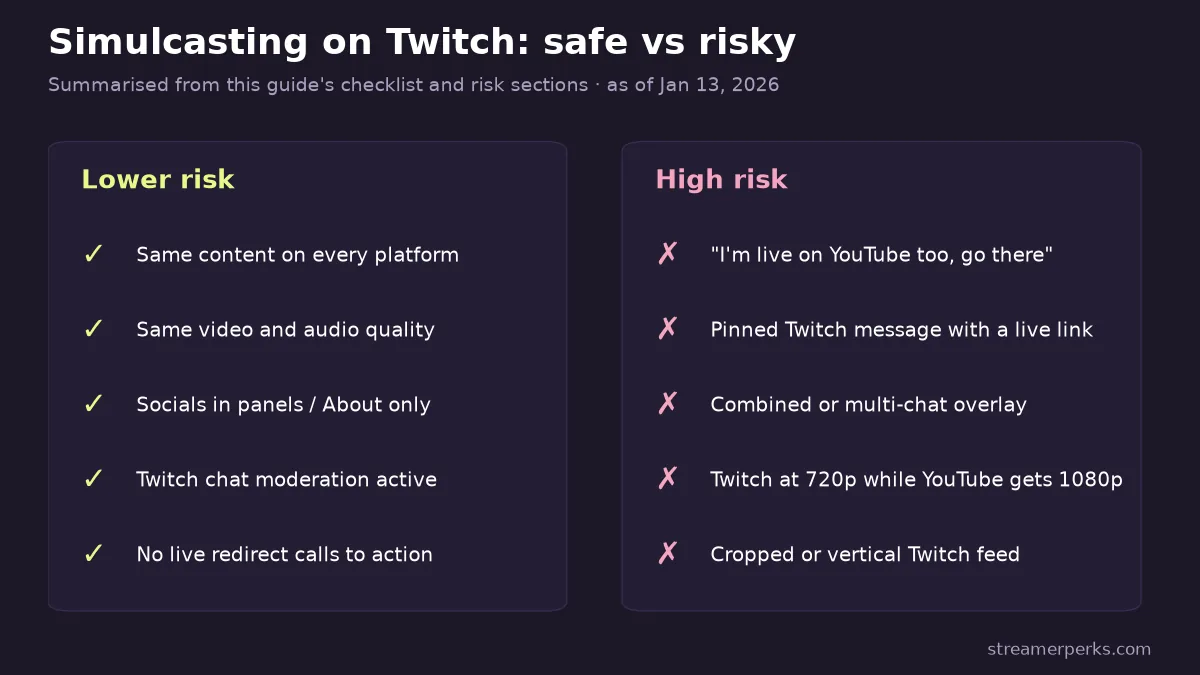
- Simulcast the exact same content everywhere (same camera, gameplay and audio).
- Don't post competing live links in Twitch chat while you're live.
- Don't show other-platform chat on Twitch (skip combined chat overlays).
- Keep Twitch quality equal to or better than the other platforms.
- Put your socials in panels/About instead of calling them out live.
Do those five things and you're about as safe as a simulcaster can be.
Definitions
- Simulcasting: broadcasting the same live stream to multiple platforms at the same time.
- Multistreaming: often used to mean the same thing, but sometimes implies a different version per platform (different overlays, features, or access).
Why the difference matters: most policy trouble comes from running different versions, because it can look like you're favoring another platform and using Twitch to feed it.
What Twitch typically allows in 2026
The exact wording may change, but most creators read Twitch's current position like this:
- Simulcasting is allowed.
- Twitch doesn't want to be a signpost that tells viewers to leave.
- Twitch doesn't want unmoderated chat from other platforms shown on Twitch.
So the rule isn't "never mention other platforms." It's "don't send live viewers elsewhere, and don't bring outside chat in."
What gets creators into trouble
1) Live redirecting
High-risk behavior includes:
- "I'm live on YouTube too, go there."
- A pinned Twitch message with the competing live link.
- On-screen banners promoting another live stream.
Why it's risky: it plainly turns Twitch into a traffic source for a competitor's live stream.
2) Showing other-platform chat or merged chat
This is one of the most common mistakes.
Examples:
- A combined chat overlay showing YouTube + Twitch messages.
- A "multi-chat" browser source embedded in OBS.
- Pop-ups like "Kick chat says..." on your Twitch feed.
Why it's risky: Twitch can't apply its moderation standards to messages that come from somewhere else. It also tells Twitch viewers they aren't your main audience.
3) Making Twitch worse than the other platform
Even if you never link out, Twitch can read a worse Twitch stream as a deliberate choice to favor another platform.
Risky patterns:
- YouTube gets 1080p; Twitch gets 720p.
- Twitch audio is noticeably worse.
- The Twitch feed is cropped, vertical, or missing overlays while the other platform looks polished.
Compliance checklist
Run through this before you go live:
- Same video quality across platforms
- Same audio quality across platforms
- No combined chat overlay on Twitch
- No live redirect CTAs on Twitch
- Socials in panels/About only
- Twitch chat moderation active
Extended FAQs
Is multistreaming allowed on Twitch in 2026?
Many creators can simulcast, but Twitch restricts live redirection and discourages showing other-platform chat on Twitch. Check the latest official simulcasting guidance before you set anything up.
Can Twitch Affiliates simulcast?
Usually yes, but Affiliates still have to follow the simulcasting rules and any agreements they accepted during onboarding.
Can Twitch Partners simulcast?
Usually yes, but Partners may have custom contracts. Your Partner agreement has the final word.
Can I show YouTube chat on Twitch if it's filtered?
Filtering doesn't make it safe; it's still high risk. The cautious approach is to show only Twitch chat.
Can I use a generic "socials" command?
That's usually safer than posting a competing live link. Keep it low-key and avoid "I'm live there right now" language.
Should I simulcast as a small streamer?
It can be a smart way to find out where your audience actually is, but running several streams at once is real work. If simulcasting burns you out, it isn't worth it.
Will simulcasting reduce my Twitch growth?
Sometimes. Twitch discovery can react to your average concurrent viewers and how lively chat is. That's why a time-limited experiment makes more sense than a permanent switch.
What's the safest way to handle "where else are you live?"
Answer with: "Links are in my panels/About." Don't post a competing live link in chat.
What is the single highest-risk thing creators do?
Combined chat overlays, or promoting another platform on screen during a Twitch broadcast.
References
- Official Twitch simulcasting guidelines: Twitch Help Portal
- Explanation and examples: Restream - Twitch Multistreaming Rules Explained
Related guides
- Twitch Subscription Revenue Share (2026): How Subs Work, What You Actually Earn, and How to Increase It
- Twitch Payout Schedule & Minimum Threshold (2026): When You Get Paid and How to Fix Delays
- Where to Stream in 2026? Twitch vs YouTube vs Kick vs Facebook Gaming
- Copyright-Free Music for Streaming: DMCA-Safe Options for Twitch (2026)
- How Much Do Streamers Make? Rates for Every Revenue Stream (2026)